
quickstart: Claude Code
npx wigolo init --agents=claude-code — one command wires Claude Code, with a per-component setup report
One command sets up wigolo and wires it into Claude Code:
npx wigolo init --agents=claude-code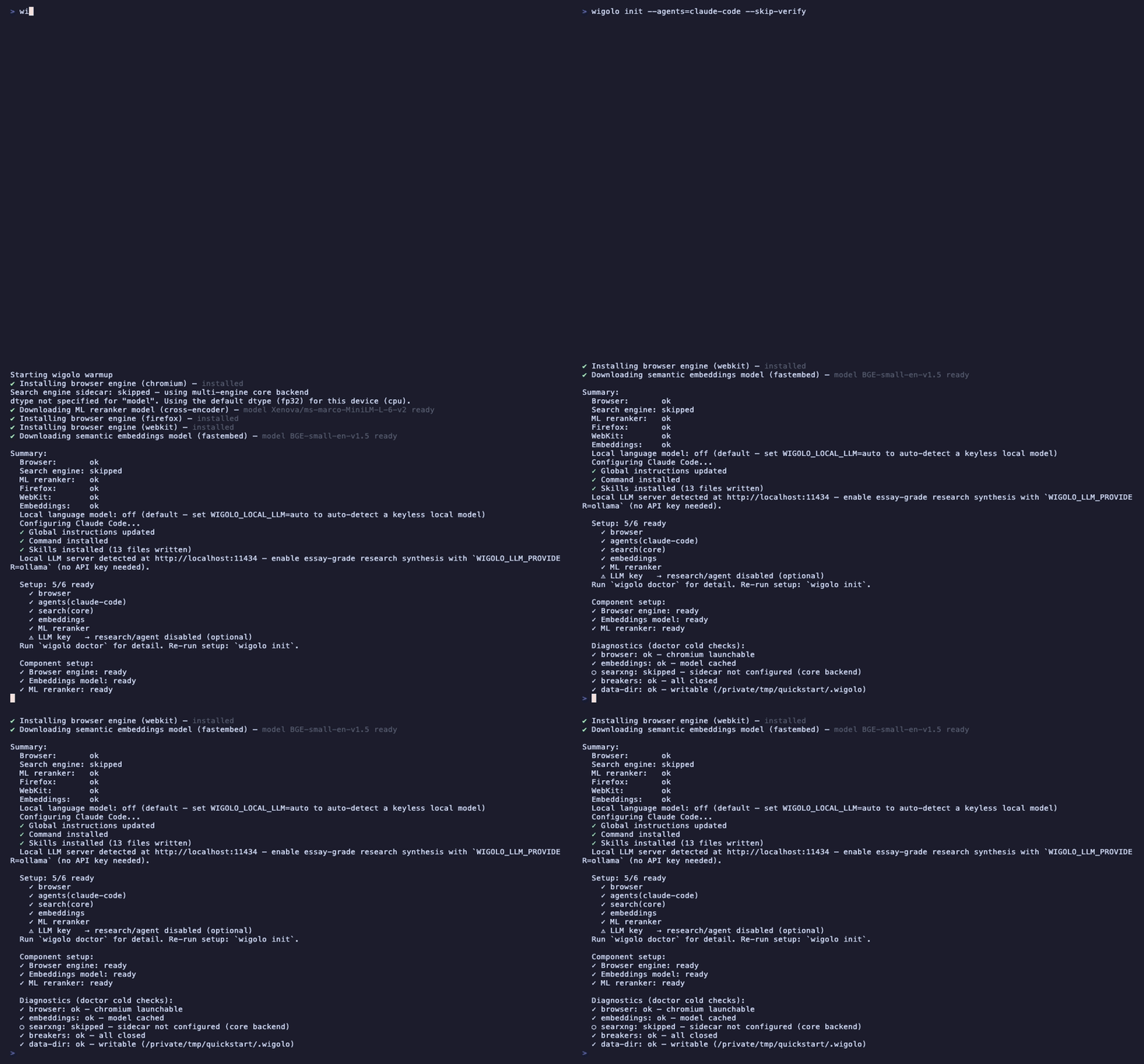
What init does
Unattended by default — no prompts, safe in CI and dotfile scripts:
- Warms the engine. Verifies the browser engine, the embeddings model,
and the ML reranker (components download on first use;
initpre-caches and verifies them), then prints the per-component setup report you see in the GIF. - Wires Claude Code. Registers the MCP server (user scope), adds a
global-instructions block, installs the
/wigolocommand, and installs the wigolo skill packs — so Claude Code knows when and how to reach forsearch,fetch,crawl,research, and the rest. - Diagnoses. Runs the doctor's cold checks so a broken install fails loudly here, not mid-task.
Restart Claude Code afterwards and ask it to look something up — it now has ten local-first web tools with a persistent knowledge cache.
Variants
npx wigolo init --agents=claude-code,cursor,zed   # wire several agents at once
npx wigolo init                                   # engine only; point any MCP client at wigolo yourself
npx wigolo init --interactive                     # plain-text prompt flow
npx wigolo init --wizard                          # rich guided setup TUI
npx wigolo init --json                            # machine-readable summary
Supported agent ids: claude-code, cursor, zed, windsurf, codex,
gemini-cli, opencode, vscode, and antigravity. (Cline gets the skill packs via
wigolo skills add — wire its MCP entry by hand.) Undo everything with
npx wigolo uninstall.
About the GIF
The recording runs the exact same init --agents=claude-code flow against
this repo's local build (plus --skip-verify, which skips the post-install
live smoke check) in a throwaway HOME, with model caches pre-warmed so you
are not watching a progress bar. First-ever run on a fresh machine downloads
the browser engine and models once — a few minutes on a normal connection —
and every run after that looks like the GIF.